這一篇文章蠻具啟發性的, 在每支執行完後去記錄執行的時間
然後再安排一支 Agent 每 12 小時檢查一次看 Agent Log 所記錄的執行狀況
來判斷該 Agent 是否執行正常
這可以讓一些重要的 Agent 不會因為不正常的因素沒有執行
而導致系統發生錯誤
蠻值得參考
但有個問題是若檢查的 Agent 本身也沒有執行呢?
原文網址: http://searchdomino.techtarget.com/tip/1,289483,sid4_gci1152535,00.html
這一篇文章蠻具啟發性的, 在每支執行完後去記錄執行的時間
然後再安排一支 Agent 每 12 小時檢查一次看 Agent Log 所記錄的執行狀況
來判斷該 Agent 是否執行正常
這可以讓一些重要的 Agent 不會因為不正常的因素沒有執行
而導致系統發生錯誤
蠻值得參考
但有個問題是若檢查的 Agent 本身也沒有執行呢?

原文說是給 6.5 使用的, 那廣大的 R5 愛用者怎麼辦?
其實只要將 REM {}; 的部份改成 REM ""; 就可以在 R5.09 使用了!!| <style type="text/css"> DIV{ scrollbar-DarkShadow-Color:#9FB7D7; scrollbar-Track-Color:#F7F7F7; scrollbar-Face-Color:#C7CFFF; scrollbar-Shadow-Color:#FFFFFF; scrollbar-Highlight-Color:#FFFFFF; scrollbar-3dLight-Color:#C7CFF7; scrollbar-Arrow-Color:#4F5F87; } </style> |
表格的部份, 首先將標題的部分獨立出來
| <table border="0" cellpadding="0" cellspacing="0" style="border: solid 1px; border-collapse: collapse" width="950"> <tr> <td valign="top"> <table border="1" cellpadding="0" cellspacing="0" style="border: solid 1px; border-collapse: collapse" width="950"> <tr class="Header"> <td nowrap="nowrap" align="center" width="40">序號<br /> </td> <td nowrap="nowrap" align="center" width="80">客戶名稱<br /> </td> <td nowrap="nowrap" align="center" width="50">業務員<br /> </td> <td nowrap="nowrap" align="center" width="50">客戶<br />類別</td> <td nowrap="nowrap" align="center" width="70">放款天數<br /></td> <td nowrap="nowrap" align="center" width="80">A/R 合計<br />(萬元)</td> <td nowrap="nowrap" align="center" width="90">銷售淨額<br />(萬元)</td> <td nowrap="nowrap" align="center" width="80">銷售毛利<br />(%)</td> <td nowrap="nowrap" align="center" width="80">信用額度<br />(萬元)</td> <td nowrap="nowrap" align="center" width="99">信用評等</td> <td nowrap="nowrap" align="center" width="99">EPS</td> <td nowrap="nowrap" align="center" width="60">每股<br />淨值</td> <td nowrap="nowrap" align="center" width="72">目前<br />股價</td> </tr> </table> </td> </tr> |
再來將內容的 table 部份包裝在 Contain 的<div></div>之中, 將 <div> style 中的 overflow 功能 on 起來,
x 表示水平捲軸, y 表示垂直捲軸
scroll 表示強迫出現捲軸
auto 表示當內容超過現訂範圍時, scroll bar才會出現
| <tr> <td width="*" valign="top"> <div id="Contain" style="height:290px; overflow-y:scroll; overflow-x:auto; margin-top:-1px;"> <table id="ContentTable" border="1" cellpadding="0" cellspacing="0" style="border: solid 1px;border-collapse: collapse" width="936"> <tr> <td align="center" width="40"> </td> <td align="left" width="80"> </td> <td align="center" width="50"> </td> <td align="right" width="50"> </td> <td align="right" width="70"> </td> <td align="right" width="80"> </td> <td align="right" width="90"> </td> <td align="right" width="80"> </td> <td align="right" width="80"> </td> <td align="center" width="100"> </td> <td align="right" width="100"> </td> <td align="right" width="60"> </td> <td align="right" width="56"> </td> </tr> </table> </div> </td> </tr> </table> |
這樣就可以捲動 HTML 的 table 囉!! 
要注意的是由於標題列與內容列是兩個獨立的表格
所以再頁面的呈現上要自行調整每一個 td 的 width 這樣才不會發生上下寬度不一致的窘境
多試幾次就可以調成美美的網頁了
這邊就示範垂直捲軸的作法, 水平捲軸的部份就留給大家自己 try 吧.
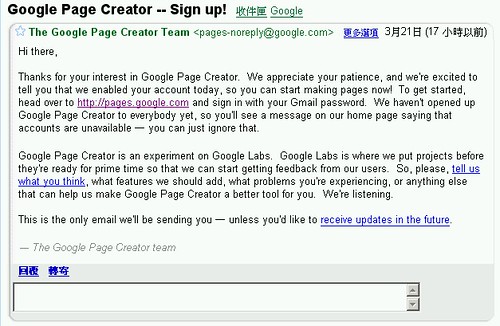
真是令人興奮, 等了一陣子了
據說這是一個大量使用 Ajax 技術的 Web Application, 也被說因此造成 performance 不好
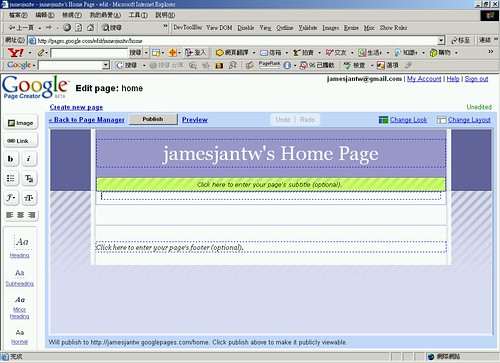
這是 default page 醜醜的, Anyway 快點將首頁建起來並把操作心得 post 上來唄
<style type="text/css"> DIV{ scrollbar-DarkShadow-Color:#9FB7D7; scrollbar-Track-Color:#F7F7F7; scrollbar-Face-Color:#C7CFFF; scrollbar-Shadow-Color:#FFFFFF; scrollbar-Highlight-Color:#FFFFFF; scrollbar-3dLight-Color:#C7CFF7; scrollbar-Arrow-Color:#4F5F87; } .autocomplete { background:#E0E0E0; position: absolute; border: solid 1px; overflow-y:scroll; overflow-x:auto; height:100px; display: none; } </style> <div id="autocomplete" class="autocomplete"></div> |
Script
<script type="text/javascript"> function Point(iX, iY){ |
控制項
<input autocomplete="off" type="text" name="cust_code" id="cust_code" size="20" onkeyup="if (frmQuery.chkAutoComplete.checked) autoCompleteField(this.value);" onkeydown="return ChangeSelect();" /> <input type="checkbox" value="1" name="chkAutoComplete" checked="checked" />啟用自動完成 |
在控制項的 onkeyup event 中去呼叫 autoCompleteField() 與後端 autoComplete.jsp 進行 Ajax 互動
encodeURI 是為了中文碼(雙位元碼)在 XMLHTTP 傳輸中 Unicode 轉換問題
在後端的 jsp 程式需使用
String cust_code=new String(request.getParameter("cust_code").getBytes("ISO-8859-1"),"UTF8"); |
來讀取 QueryString 中傳遞的參數.
主頁面編碼設為
<meta http-equiv="Content-Type" content="text/html; charset=utf-8" /> |
這樣就不會有編碼的問題
後端 jsp 輸出
while (rs.next()){ |
透過呼叫主頁面 setValue() 將選取的值回存至控制項中, 即大功告成. :)
可以將 script 的部份 define 成 .js 並修改參數的傳遞 及可當作 library 來使用囉.
· standards-based presentation using XHTML and CSS;
· dynamic display and interaction using the Document Object Model;
· data interchange and manipulation using XML and XSLT;
· asynchronous data retrieval using XMLHttpRequest;
· and JavaScript binding everything together.
最近有網友問到,原來的 成績查詢 只能顯示一筆查到的紀錄,如果要顯示多筆呢? 原先的想法是,在Server端把資料查詢好,透過組成前端HTML字串輸出的方式來達成 結果,超乎意料,他真的被當成文字輸出而不是Bind到原來的HTML Table當中 應該是原有Templat...


 James Jan的檔案